Card skins for Apple Wallet · Mac app included
Flex every card in your Wallet.
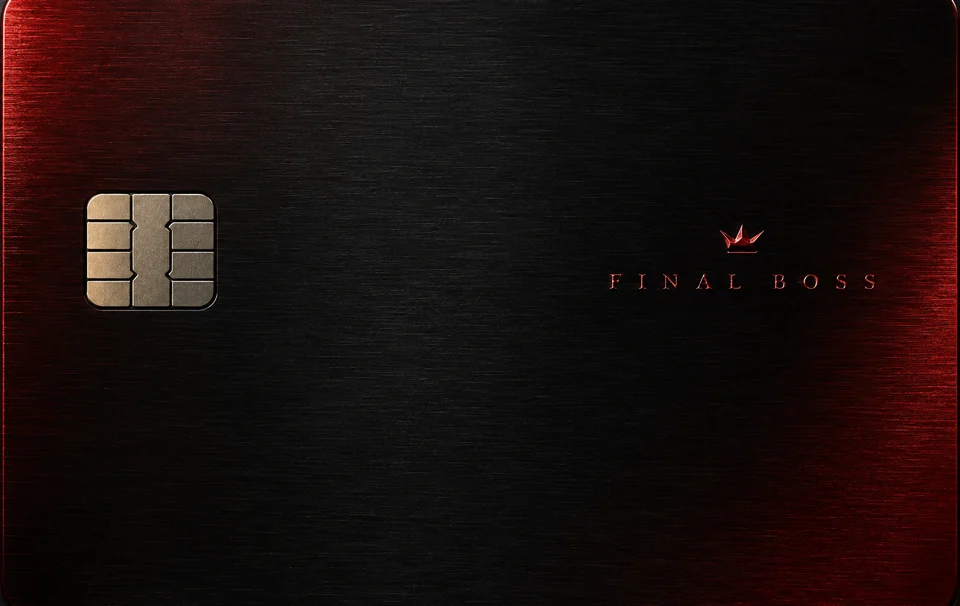
Final Boss. Main Character. Brushed metal, marble, gold foil. Put it on the cards you already carry — Apple Pay keeps working.
app + 12 styles
No jailbreak · Instant download · No subscription
Latest Transactions
- 12
- card styles
- 2
- collections
- ≈ 5 min
- to a new-look Wallet
- 1×
- payment, no subscription
The collection
Every style. All included.
Made at Wallet's native 1536 × 969 resolution. Tap any card to try it on the iPhone.
- Final BossSignature
- Main CharacterSignature
- LARPSignature
- Side QuestSignature
- NoirSignature
- MirrorSignature
- Emerald MarbleMaterial
- Gold FoilMaterial
- EmberMaterial
- ImpastoMaterial
- Indigo InkMaterial
- MonogramMaterial
How it works
Four steps. About five minutes.
- 01
Install
Open the DMG and drag LarpCard into Applications. Runs on Apple Silicon and Intel Macs.
- 02
Connect & scan
Plug in your iPhone, hit Scan Cards, then tap each card in Wallet so LarpCard can find it.
- 03
Pick a style
Choose any LarpCard style — or drop in your own photo. Frame, zoom and position it per card.
- 04
Flash
Apply, reopen Wallet, done. About five minutes from download to a brand-new Wallet.
Artwork only
LarpCard changes the image Wallet shows — nothing else on the card or in your account.
No card data
Card numbers and payment details are never read, stored or sent anywhere.
Pays as before
Tap to pay works exactly as it did. Same card, same bank, new look.
Everything, once
The full set.
- LarpCard for Mac — Apple Silicon & Intel
- All 12 styles at Wallet's native resolution
- Use your own photos and artwork too
- Instant download, no account needed
- One payment. No subscription, ever.
One-time price
5 €$5£5CHF 5CA$8A$9NZ$959 kr59 kr39 kr22 zł129 Kč¥900S$8HK$45
App + 12 styles · instant download
Questions, answered.
Will my card still work?
Yes. LarpCard only swaps the picture Wallet shows. Your card number, bank connection and Apple Pay stay exactly as they were — you pay just like before.
Do I need a jailbreak?
No. Everything runs from the Mac app over a USB cable. Nothing is installed on your iPhone.
Which iPhones and iOS versions work?
Any iPhone on iOS 18.0 up to iOS 27.0.1, plus iOS 27.2 beta 1 and 2. Apple closed the method in iOS 27.2 beta 3, so later versions are not supported — hold off updating if you want to restyle.
What do I need on the Mac side?
A Mac with macOS 14 Sonoma or later (Apple Silicon or Intel) and a USB or USB‑C data cable. The cards must already be added to Apple Wallet.
Which cards can I restyle?
Debit and credit cards, transit cards and most passes. Apple Card is the exception: it renders dynamically and can't take a custom skin.
Can I use my own image?
Absolutely. Drag any photo or artwork onto a card in the app, then pan and zoom to frame it. Images are fitted to Wallet's 1536 × 969 card size.
macOS warns me the first time I open it — is that normal?
Yes. Right-click LarpCard in Applications, choose Open, then confirm. You only need to do this once.
Is it a subscription?
No. You pay once and keep the app and every style — download them right after checkout and they are yours.
Is LarpCard made by Apple or my bank?
No. LarpCard is an independent product, not affiliated with Apple Inc., any bank or card network.